

LabXchange has a robust catalog of over 30k assets in STEMM (Science, Technology, Engineering, Mathematics, and Medicine). Once you have your favorite resources in hand, how can you share these materials with students, program participants, or any learner on the platform? There are two main ways that you can share your curricular materials and resources with users on LabXchange. One is private and allows you to monitor individual progress; the other is public-facing. Let’s dive into it!
Note: While this blog post is intended for organizations and collaborators, it may be helpful for any educational leader who has content to share with learners!
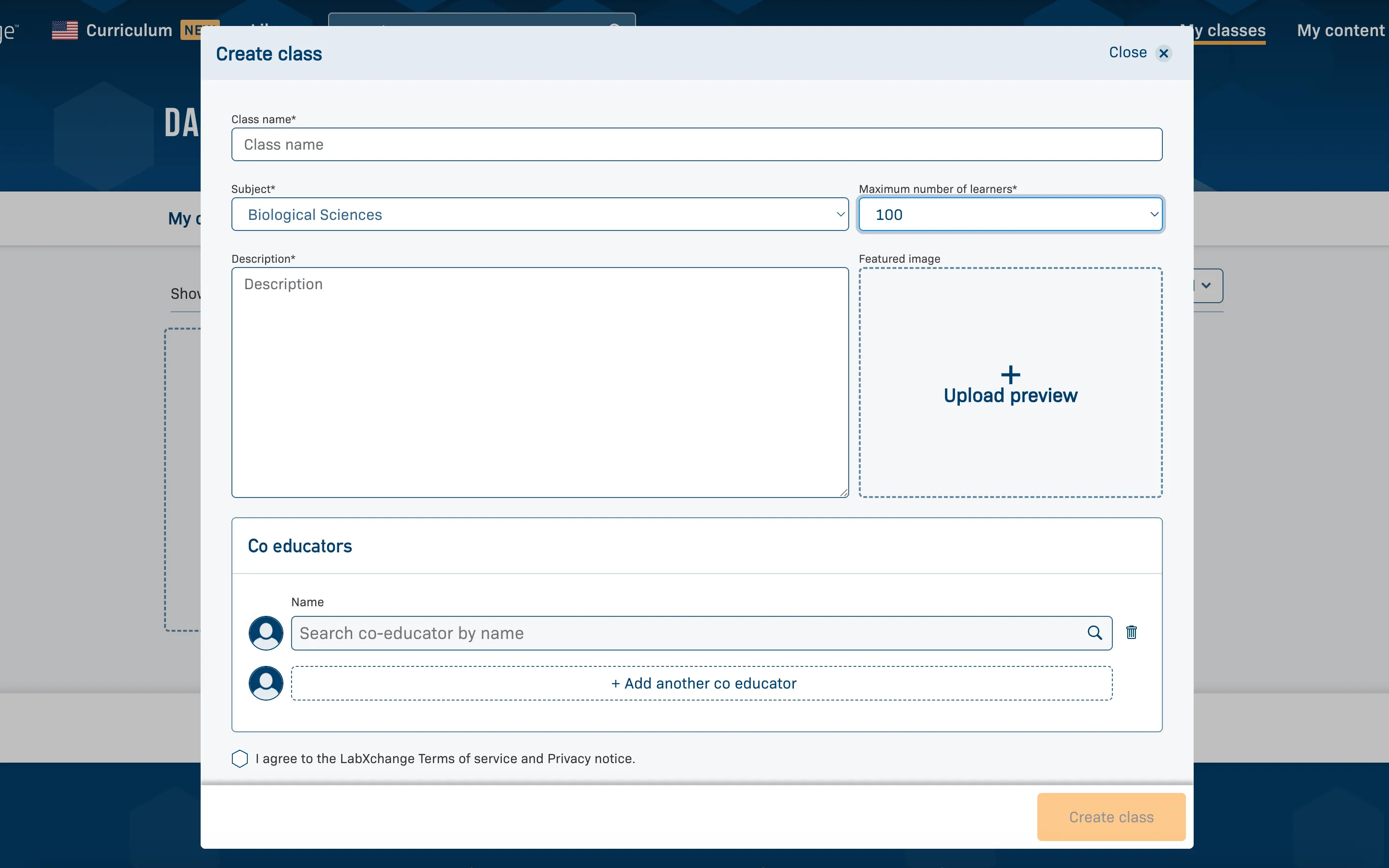
LabXchange has a basic learning management system (LMS) built into the platform. The ability to create a LabXchange class is available to anyone with a LabXchange educator account (which is free to create). The class is a private space that allows you to selectively add participants by sharing a class code, track participants’ progress, and utilize the class discussion board feature.
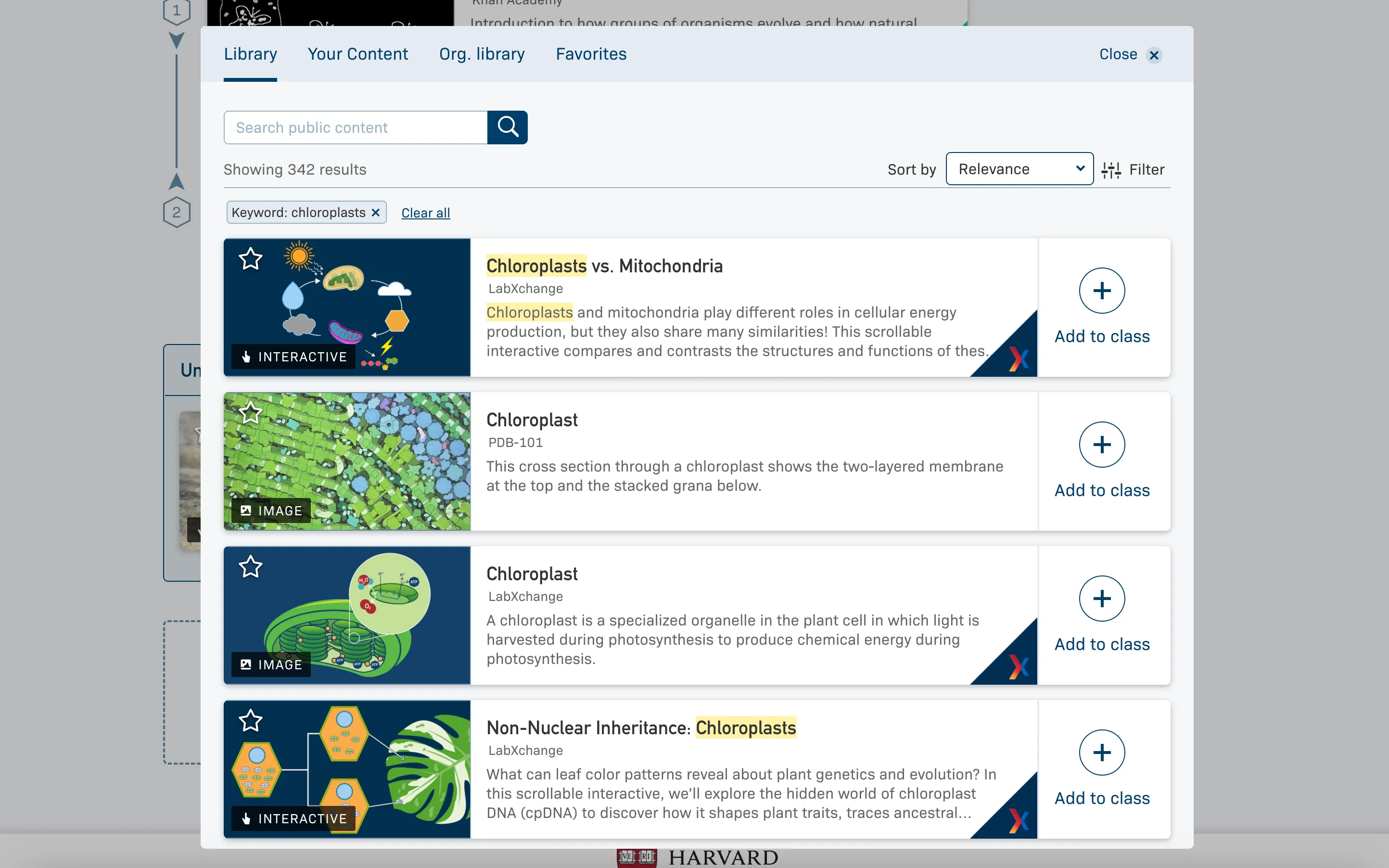
You can integrate public resources from the LabXchange catalog (with the exception of clusters) or add private resources that you have created (learn more here).
The best way to explore this feature is to create your educator account and make a test class. You can learn how to make a class here, or watch this video. This is something you can easily do on your own at any time. For any questions on classes, explore the help desk or contact us.
Together with LabXchange, you can create pathways (playlists of resources that align to learning objectives) or clusters (groupings of pathways) that support your learning framework or curricula and are available in our public catalog. Pathways and clusters can be developed using existing resources in the LabXchange catalog that align with your learning goals and can include comments for learners. Here is an example of a collaborator pathway from Science Buddies and a cluster from California Academy of Sciences. (Note: if your organization has resources that are not currently on LabXchange, we can consider adding them to the public library, pending a more formal review and agreement process.)
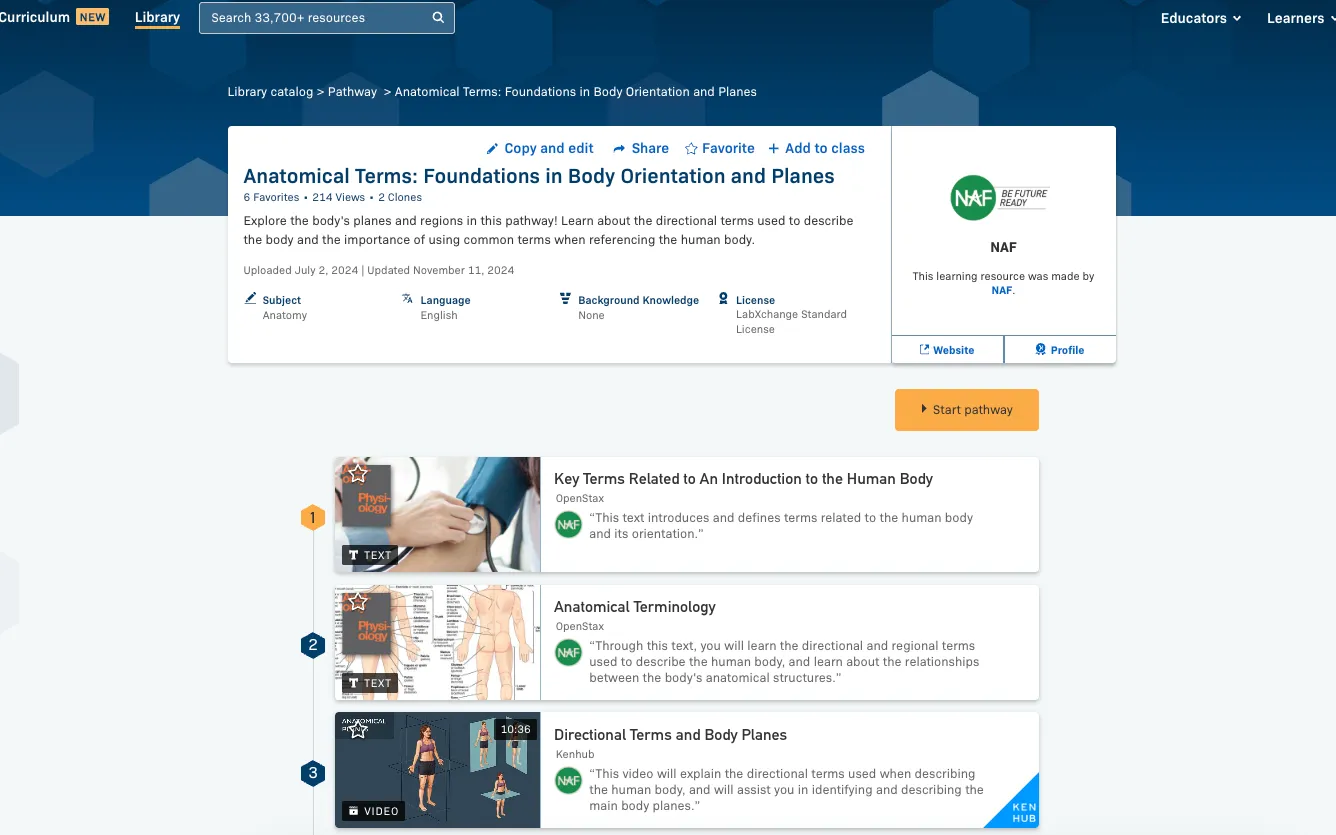
Let’s dive into an example from NAF. NAF supports students on a local and national level in becoming college, career, and future ready in the US. The NAF team developed several clusters tied to their programming and learning objectives. In this pathway, NAF included notes for each asset that tied to their goals for learning. The learning objectives are listed at the bottom of the pathway page.
The development and implementation of a collaboration at this scale takes time, but offers more visibility for all LabXchange users. Organizations can track usage via views and favorites, but cannot monitor a specific individual's progress, like in a private class. If you are interested in collaborating with LabXchange, reach out to collaborate@labxchange.org.

.svg)

.svg)


